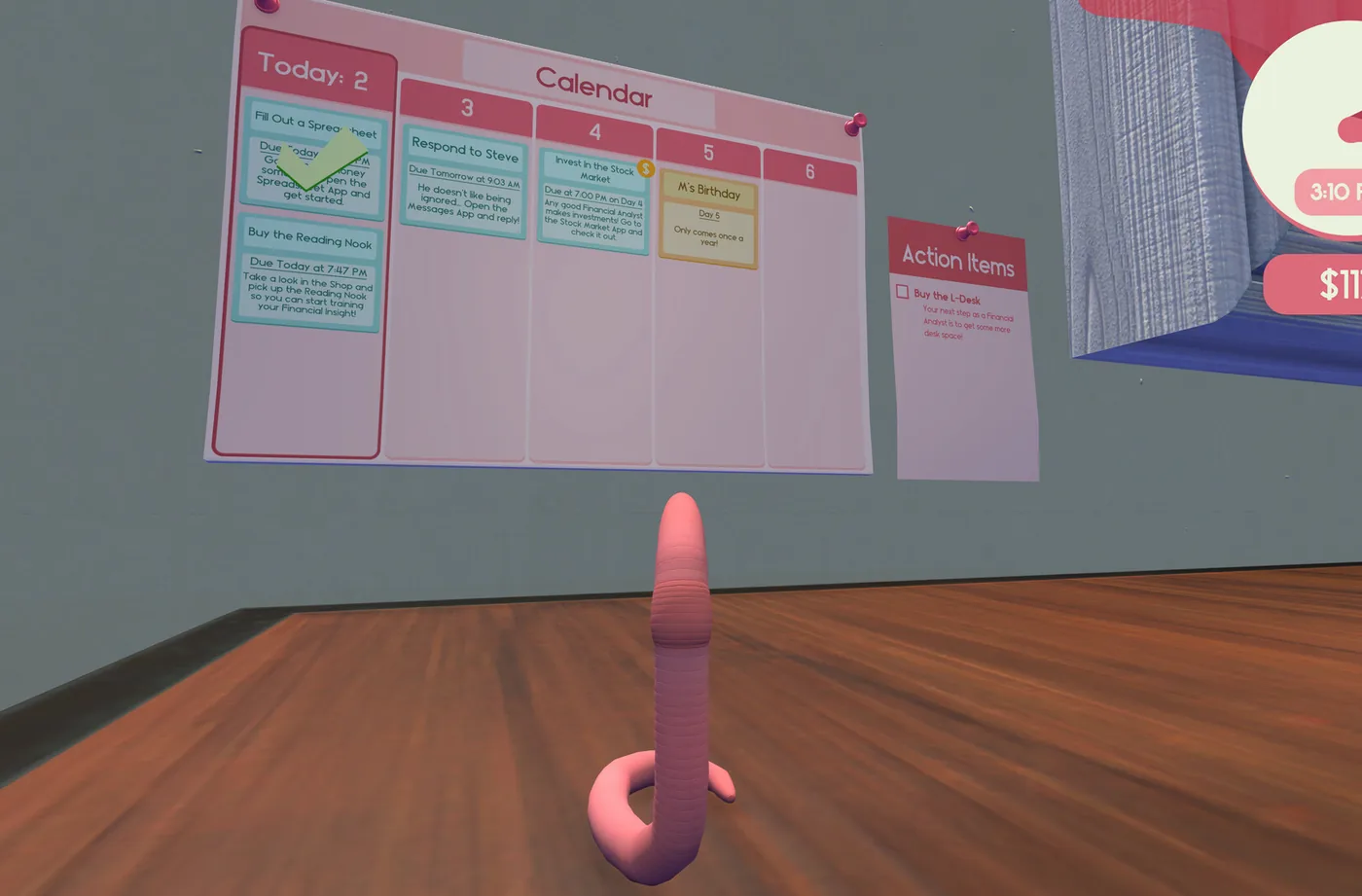
Independent fan guide. Details reflect the launch patch (v1.0.3) and cite official sources; if the game updates, in-game text always wins.
01Movement is the whole game
You are a worm with no legs, and the game never lets you forget it. There is no walk button and no run button. There is a physics ragdoll that you fling across a human-sized desk, and every key press, cup of water and sheet of paper in your six-year analyst career is reached by throwing your body at it and cleaning up whatever happens next. Reviewers reached for the same comparison at launch, with GameSpew calling it QWOP meets Earthworm Jim, and the comparison is honest about the first hour. The learning curve is real. Then it evaporates, and crossing the desk starts feeling like a commute.
The kit is small: jump, headbash, grab. The only binding anyone has documented in public is left mouse for headbash, and even that traces back to a single demo-era report, so treat any other key binding you read online as undocumented. What matters more than the bindings is the physics. Your body has weight, momentum, and a stubborn refusal to stop exactly where you aimed it. Every technique in this guide is a way of negotiating with that momentum instead of fighting it, and the negotiation gets much easier within your first hour.
In a post-release interview, the developer called the character controller the hardest engineering problem in the project, a usable controller for a creature with no limbs. You can feel that work in the corners of the game: it wants you to land on the key you aimed at, most of the time, and it forgives the rest. Three quarters of all players eventually earn TOUCHDOWN!, the achievement for traveling 100 yards total, which tells you distance is not the hard part. Aim is. Everything else in this guide is about aim.
02Precision beats power
The single biggest technique upgrade in the game costs nothing: stop flinging at full power. A maximum throw crosses the desk in one dramatic move and dumps you on the floor, or sails clean over the key row you wanted. A half-power throw followed by a small wiggle reaches the same key with none of the cleanup. Community consensus from the launch forums matches what every playthrough shows: precision beats distance, every time, on every task. The players who look smooth on stream are not throwing harder than you. They are throwing shorter and then wiggling.
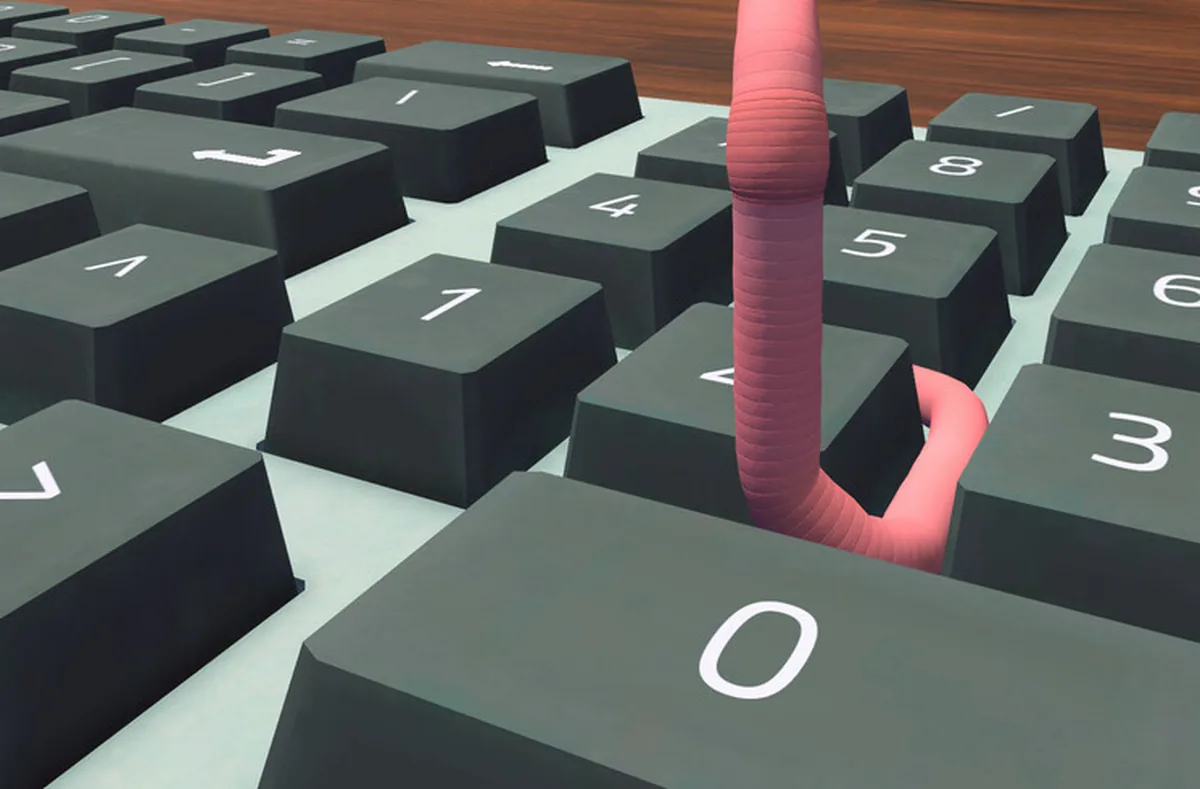
Approach angle matters as much as throw length. Come at a key from the row below it and bump upward, so the key catches your head and registers. Drift in from above or the side and you slide off between rows, land across two keys at once, or clip the wrong letter on the way past. If a task keeps failing, the problem is usually the approach angle, not the timer, and the fix is to drop one row lower and come up again.
- Read the instruction bar first: it names the exact cell and the exact value.
- Throw at half power toward the target key, never full power.
- Wiggle the last stretch of distance instead of launching again.
- Approach the key from the row below and bump upward.
- Confirm on screen that the input registered before hunting the next key.
- If you miss, re-aim from the row below rather than re-flinging from wherever you landed.
03The headbash and grab combo
Grabbing is the least trustworthy interaction in your first hours. You latch onto a cup or a die, it slips, you reposition, it slips again, and the natural conclusion is that the grab is broken. It is not. The fix, reported by reviewers and forum regulars alike, is to combine a headbash with the grab: the headbash pins or shifts the object, and the grab, timed right after, takes it cleanly. One reviewer admitted it took them a couple of hours to notice the combination worked. That is two hours you do not have to lose.
Treat it as one motion rather than two decisions. Headbash into the object, and grab in the same beat as it reacts. On paper this covers everything portable on the desk: cups, dice, sheets of paper, the phone handset. In practice you will still drop things, because the physics is a coworker you share an office with, not a tool you operate. The combo just moves the odds from usually slips to usually holds, and that is genuinely all a worm needs.
04Carrying things without spilling
Carrying is where the physics stops negotiating, and two rules cover most disasters. Carry cups backward, open end trailing, so a stumble does not baptize the desk. And never jump while holding liquid or paper: several players have struggled on record with grabbing a sheet of paper mid-jump, and the game simply does not allow it. Plan every carry along the ground at wiggle speed, and treat the jump as locked whenever something fragile is in tow.
Cups that land upside down are their own small mini-game. Drop the cup, pick it up, drop it again, and repeat until physics lands it the way you want. It is tedious exactly once; by the third cup it is muscle memory. For the ambitious, the community discovered that riding a cup from the water cooler works as a genuine flight exploit, documented in the Can Worms Fly? guide. Worth a read once you can cross the desk without dying, which brings us to the floor.
One habit makes all of this painless: carry less. The instinct after a grab is to immediately sprint the object somewhere useful, but a worm dragging a full cup across a keyboard shelf is a delivery system for a spill. Grab, settle, plan the ground route, then move. The desk is not going anywhere, and neither, as far as anyone can prove, are you.
05Death is free, and the floor is boring
Fall off the desk and you die. The game plays it for a laugh, respawns you at no cost, and nothing suffers for it: no task, no achievement, no standing with Trevor. Community consensus after launch week is that the floor is an inconvenience, not a fail state. When a throw was always going to end badly, dying quickly and respawning is sometimes the fastest reset available. Your dignity is the only casualty, and the game does not track dignity.
Do not treat death as an invitation to sightsee, though. The room beyond the desk is mostly closed off; the floor is a place you land, not a place you visit. New players burn real minutes wiggling toward the walls hunting for secrets, and the secrets are not down there. They are up on the desk, sitting inside objects you already walk past. Die, respawn, climb back up, get to work.
The menu's Reset Objects button is the other recovery tool, and it deserves respect. It returns toppled items, and you, to safe positions, which rescues the die that skittered behind the monitor and the chair you wedged somewhere physics never intended. One absolute rule applies: never press it while the printer is printing. The developer's own bug threads document that the print button can vanish with the job half-done, which turns a stray cup into a soft-lock. Finish the print job, then reset.
06Typing one key at a time
Every task in the game reduces to typing: spreadsheet cells, chat replies, contract signatures, both of your logins. You type by headbashing keys one at a time, and the game hands you the full instruction before you start. Read it first, all of it, because it names the exact cell and the exact value. The players who struggle are almost always the ones who start wiggling toward the keyboard before finishing the sentence, arrive out of breath, and then have to read the instruction from across the desk.
Chat is stricter than spreadsheets. Replies only send when typed exactly as shown, letter for letter; a typo is not a personality moment, it is a redo. There is one timed wrinkle early on: respond to a message from M within one real-time minute and you earn Wow, You're Desperate, which 47.8% of players own. The window is real time rather than game time, so a slow typist on a bad keyboard can genuinely miss it. Type the short reply first, admire it after.
Backspace is the most-visited key on the board, and the community has already named the trip: the wiggle of shame. Every review and forum thread about this game mentions the long crawl back to the top row to delete a mistake. Budget for it emotionally. Nobody types clean on day one, nobody is grading the wiggle, and the achievement list confirms nobody is expected to.
07Formatting with a die on Ctrl
Formatting is where a worm's body betrays it. Bold, italic, copy and paste are Ctrl combinations, and you cannot hold Ctrl while also being the creature pressing B. The community solution is beautiful in its simplicity: park one of the desk dice on the Ctrl key. The die's weight holds the modifier down, and you bump B, I, C or V like any other key. Suddenly the formatting demands of later spreadsheets stop being a wall and go back to being spreadsheets.
Two quirks follow, and both come from the same forum threads that popularized the trick. Arrow keys keep working while Ctrl is held, so you can still navigate the sheet with the die parked; typing does not, so lift the die before any word task. And a fully upgraded keyboard eventually removes the need for the dice trick entirely, with shortcuts just working, which has surprised players who assumed their expensive purchase had broken formatting rather than fixed it. Until that upgrade, the die is a coworker: borrowed, weighted, quietly essential.
08Keyboard and mouse hardware, ranked by physics
The shop sells an upgrade path for both input devices, and the physics has opinions about them. The starter keyboard is chunky and clacky, and its deep key travel makes keys genuinely easy to aim at; community consensus holds it is quietly the best typing instrument in the game. Each step up the line gets flatter, quieter, and slightly worse to land on, which is the exact opposite of every upgrade instinct you have carried into other games.
The touch keyboard at the end of the line is the one to respect before buying. Players report accidental double-presses, letters they never meant to hit, and a verdict that it types worse than the free starter. There is no switching back. The developer has acknowledged the complaints and plans a rework, but as of the current patch the purchase is one-way, so make it with a save you can return to, or not at all.
The mouse line is more forgiving. The starter mouse is hard by design, with the difficulty intentional rather than a bug, and the Stabilized Mouse at 100 dollars is the acknowledged fix. The wormgonomic mouse tops the line beyond that. Neither purchase carries the touch keyboard's risk, because these upgrades make an awkward device less awkward, which is what an upgrade is supposed to do.
| Keyboard | Price | Feel | Community verdict |
|---|---|---|---|
| Chunky clacky starter | Included | Deep travel, loud, easy to aim | Quietly the best typing instrument in the game |
| Slim Keyboard | $250 | Flatter keys, shorter travel | A reasonable step if the clack bothers you |
| Ultra slim | Price not verified | Thinner still | More mispresses creep in as the keys flatten |
| Touch keyboard | Price not verified | Touch-sensitive surface, no travel | Accidental double-presses; no switching back; rework planned |
09Controller, Steam Deck and accessibility
You do not need a mouse to play a game about a mouse. Steam lists full controller support, including PlayStation's DualSense and DualShock pads, and the game shipped Steam Deck Verified before release week. Most launch-week players still used mouse and keyboard, and the physics humbles all inputs equally, so play with whatever is attached. No in-game remapping menu has been documented; the only binding publicly on record either way is headbash on left mouse, from a single demo-era report.
The accessibility list on the store page is short but pointed: color alternatives, custom volume controls, and playable without timed input. That last tag matters more than it looks, because the game's timed pressure points are rare, one reply window measured in real-time minutes and one timed answer in the finale interview, and everything else, every spreadsheet and message and market decision, simply waits for the worm. There is no clock on learning to steer. Family Sharing rounds out the list, and the game saves to three slots, dev-confirmed, which pairs nicely with a backup before risky hardware purchases.