Independent fan guide. Details reflect the launch patch (v1.0.3) and cite official sources; if the game updates, in-game text always wins.
01The starter board is secretly great
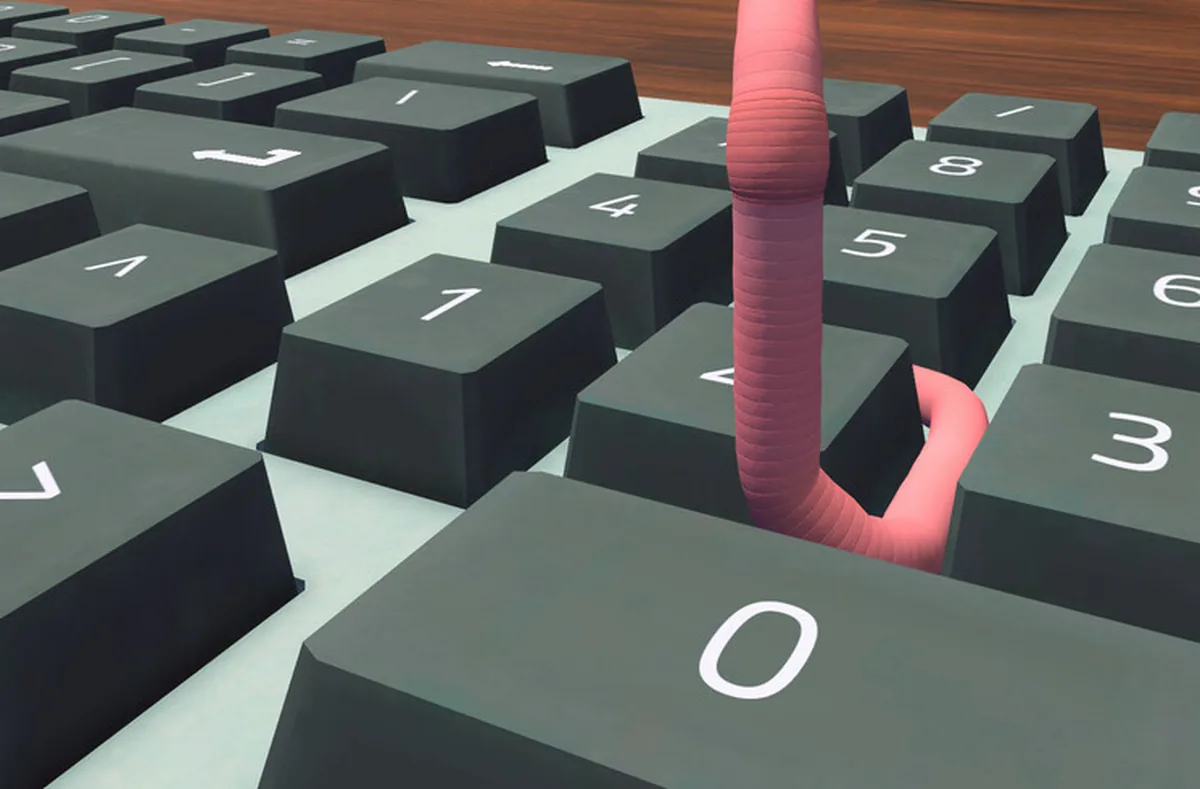
Your first keyboard is a chunky, clacky slab with keys roughly the size of coasters, and the game hands it over for free on day one. What takes a while to notice is that the oversized keys are the entire point. A worm typing by headbash needs targets, and the starter board's keys are big enough to catch a slightly-off approach, forgiving enough to register an imperfect bash, and spaced far enough apart that a miss usually means the neighboring key rather than the neighboring row.
That makes the starter quietly the best typing instrument in the game, which sounds like cope until you look at what the shop actually sells. Keyboard upgrades here move toward slim, then slimmer, then a flat touch surface with no travel at all. Each step looks more premium sitting on the desk and gives your aim a little less to work with. The community reached this conclusion within days of launch, and nobody has seriously argued it down since.
The clack is part of the charm, for what it is worth. You will spend the whole week listening to it. If the sound becomes a genuine problem, the radio has music channels and the game ships with custom volume controls, so the noise has cheaper fixes than the shop. Upgrading the keyboard to solve an audio issue means buying a 250 dollar mute button with a typing downgrade attached, and this guide cannot recommend that trade to anyone.
02The upgrade line, tier by tier
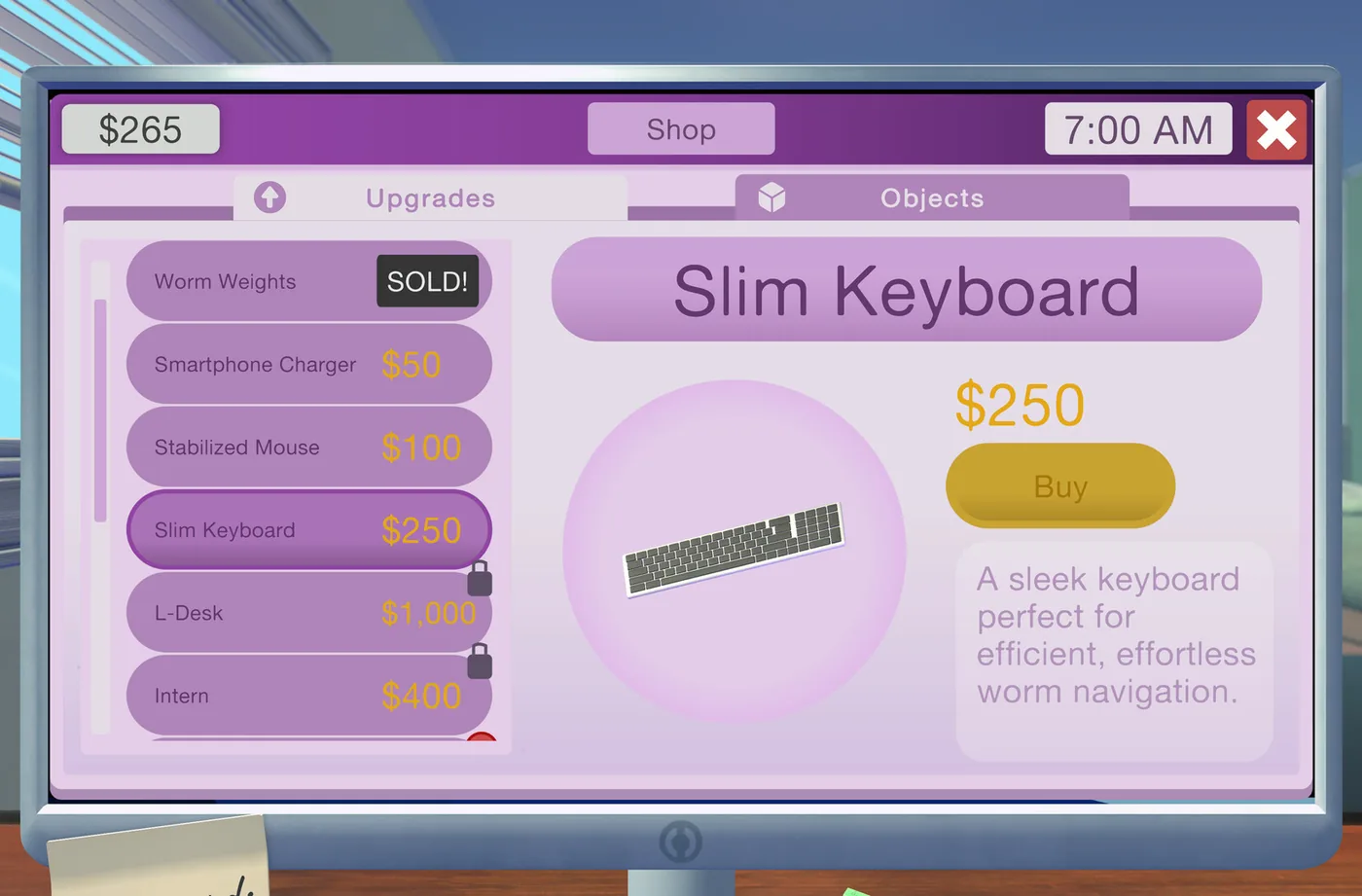
There are four tiers of keyboard: the clacky starter you begin on, the Slim Keyboard at 250 dollars, an ultra slim tier above that, and the touch keyboard at the end of the line. The Slim Keyboard price is verified from the official shop screenshot, as is its neighbor in the mouse aisle. The prices of the two keyboard tiers above Slim have not been confirmed in any source we trust, and the wiki farms happily invent numbers for exactly this kind of gap, so the table says not verified wherever a number should be.
The mouse line sits beside it in the shop and could not differ more in reputation. The starter mouse is intentionally hard to steer, a physics joke in the shape of a peripheral. The Stabilized Mouse costs a verified 100 dollars, and the wormgonomic mouse tops the line, price unconfirmed. Where the keyboard upgrades are widely reported to make the job harder, the mouse line is the sensible spend, and most of the rest of this guide is the argument behind that sentence.
| Tier | Price | Feel | Verdict |
|---|---|---|---|
| Clacky starter | Free | Chunky keys, loud, easy to aim | Keep it; the best board in the game |
| Slim Keyboard | $250 (verified) | Flatter keys, shorter travel | Cosmetic step up, aiming step down |
| Ultra slim | Not verified | Slimmer again, less feedback | No confirmed price, no community case for it |
| Touch keyboard | Not verified | Flat surface, no travel at all | Community-reported worst board; no going back |
03The touch keyboard problem
The reports about the touch keyboard are consistent and mildly devastating. Players describe accidental double-presses, letters registering that nobody aimed at, and inputs arriving from the brush of a passing worm segment. The verdict, repeated across the Steam keyboard threads since launch week, is that the final tier is worse than the free board you started on. These are community reports rather than official numbers, so treat the severity as reported rather than measured. The direction of the reporting, on the other hand, is unanimous.
Credit where it is due: the developer has acknowledged the complaints and plans a rework, which is the good news. The inconvenient news is timing, because no rework had landed as of the current patch, v1.0.3, and a rework has no announced date. So the decision you are making today is about the keyboard as it behaves now, not the one it might become after the fix, and a purchase is a bad place to store optimism.
Until the rework ships, the touch keyboard has exactly one honest selling point: it is the last tier, buying it finishes the line, and the shop tracks purchases for completionists chasing Expensive Taste, the buy-everything achievement sitting at 6.0% of players. That is a reason, narrowly. It is not a typing reason, and typing is the entire job.
04The one-way door: no switching back
Here is the decision's whole weight: there is no switching back. Keyboard upgrades are one-way for a save, so the worm who buys the Slim Keyboard and misses the chunky keys cannot return to them, and the worm who reaches the touch keyboard is living there for the rest of the file. There is no downgrade entry in the shop, no settings toggle, no refund flow. The game does have three save slots, developer-confirmed, and that is the only undo in the building.
Treat the purchase like a tattoo rather than a tool. If you are curious what slimmer keys feel like, the honest advice is to wait a full in-game week first, because nothing gates the keyboard line behind story progress and nothing in the promotion chain requires any keyboard tier. The purchases that actually gate the ending are the L-shaped desk, the trampoline, the webcam at 3,000 dollars, the soundboard and the framed photo. Every spreadsheet in the game, formatting-heavy late files included, is comfortably doable on the starter. Nothing needs this purchase, and that should be the first fact in any verdict about it.
The buyers the upgrades genuinely serve are completionists and the curious, and both should go in with the touch tier's reputation on the table. If a rework lands and turns the line around, the calculus changes and this guide will say so loudly. As of this patch, the forum consensus stands: the last keyboard is the worst keyboard, and it is the one you keep.
05The Ctrl surprise after a full upgrade
A side effect of fully upgrading the keyboard confuses a particular kind of player, and if that is you, relax: nothing is broken. Formatting in this game runs on Ctrl combinations for bold, italic, copy and paste. On the standard boards the trick is to park a die on the Ctrl key and then bump B, I, C or V with your head, because a worm cannot hold Ctrl down and also be the finger pressing the letter.
On a fully upgraded keyboard, the die trick stops being necessary. Formatting simply no longer depends on the ritual, and the dice return to being desk toys. Players who upgrade the whole line, then park a die out of habit and watch the shortcuts behave strangely, tend to conclude that their expensive purchase broke something, and the threads fill up with exactly this report after every upgrade. Nothing broke. The die retired, and the confusion is the upgrade working as designed.
The in-between state is the funnier one. Arrow keys keep working while Ctrl is held down, on any tier, while typing does not, which is how a die left parked on Ctrl produces a keyboard that navigates a document perfectly and refuses to type a single word. Every regular in the formatting threads has done this at least once. Check the Ctrl key before concluding that anything in this game is broken.
06The mouse line is the sensible money
While the keyboard line trends toward regret, the mouse line trends the other way. The starter mouse is intentionally hard to steer, and the game never pretends otherwise. The Stabilized Mouse costs a verified 100 dollars and is widely considered the best value in the shop. Above it sits the wormgonomic mouse, price unconfirmed, closing out the line for worms who want the complete hardware set and have the bank account to prove it.
What the Stabilized Mouse changes is control. Community reports describe steadier pointer work and fewer of the drift-then-overcorrect loops the starter mouse invites, and pointer work shows up more than you might expect across the desk, the phone and the stock app. A cursor that reliably goes where you send it removes a whole category of small daily friction that no keyboard tier touches.
Notice what actually improves day-one productivity: technique and the 100 dollar mouse. Technique is free and covered in the controls guide: short throws, small wiggles, headbash plus grab, and approaches from the row below for stubborn keys. The mouse is one-tenth the price of an L-shaped desk and pays off every single day. The keyboard tiers do neither of those things, which is why this guide keeps spending its money over in the mouse aisle.
07When each purchase pays for itself
Every payback figure in this section is rough, community-reasoned, and not official, so treat it as a way to think rather than a promise. The honest keyboard math first: upgrades are a lateral move for typing throughput, so they never pay for themselves in completed tasks, and the touch tier plausibly costs throughput outright. No spreadsheet pay rate in the game rescues a purchase that makes each file slower to finish.
The mouse is a different story. Spreadsheets pay task by task, five files inside 24 hours stack a 200 dollar bonus, and spreadsheet pay scales with your Financial Insight level, so anything that smooths the working day compounds across every system that touches the pointer. A 100 dollar purchase in a week whose purchases include a 1,000 dollar desk and a 3,000 dollar webcam is the cheap end of the shop, and community reasoning puts its payback inside the first stretch of steady work rather than at the end of your savings.
For the keyboard, the only payback is completion. Expensive Taste requires buying every item in the shop and currently sits at 6.0% of players, and the keyboard line is somewhere on that list, so the tiers are mandatory for the full achievement and optional for everyone else. If your goal is total completion, buy the line eventually, ideally last, ideally after the rework ships and the forums have re-scored it.
08A pre-upgrade checklist
Run down this list before any hardware purchase, and especially before the irreversible ones. It costs one quiet in-game afternoon to check everything, and it has saved more than one worm from a long week of double-presses. The checklist assumes you can already type on your current board with acceptable accuracy; if you cannot, spend the money on practice instead, because practice is the only upgrade with no price tag and no way to regret it.
- Type ten spreadsheet inputs on your current board and count the misses; that number is your real baseline.
- Read the keyboard threads for the latest word on the touch keyboard rework before buying the top tier.
- Confirm the purchase is not the webcam or soundboard; buying those before Steve asks can soft-lock your objectives.
- Ask what in the story needs this tier. The honest answer is nothing.
- Remember there is no switching back, then sit with that for one more in-game day.
- Buy the Stabilized Mouse first if you have not; 100 dollars of steering beats 250 dollars of slim.
09If you already upgraded
If you are reading this one tier too late, the situation is survivable. Worms on the slim and ultra slim boards report that aim simply demands shorter throws and more patience, which is the same technique the starter rewards anyway. The touch tier is harder to love, and the reported coping method is to slow down and bash with intent rather than sliding across the surface, because glancing contact is what registers the letters you never meant. Treat each input as its own small landing, confirm on screen after every one, and the error rate drops to something workable, according to the players stubborn enough to stay on the glass.
The longer-term coping is the same advice as always, just sharper: lean on the systems that do not care about your keyboard. The mouse line still works, the phone still works, the reading nook still raises your pay, and the promotion chain never checks which board you own. If the touch keyboard is genuinely ruining the save, remember the three save slots, and that a fresh file with the starter board intact is an evening of play, not a weekend of it.
10The verdict
Stay on the clacky board. Buy the Stabilized Mouse. Skip the keyboard line unless you are completing the shop or the rework lands and turns the tables, and even then read the threads before you spend a dollar. The starter's big keys are a genuine aiming advantage, the mouse line fixes a real problem for verified pocket change, and the one-way door makes every keyboard purchase a bet you cannot hedge. That is the whole buyer's guide in four sentences; everything above it was the receipts.
The exceptions deserve their own sentences too. If you have finished everything, earned the promotion, and want to spend a slow evening watching a worm slide across a flat glass slab, the touch keyboard is a purchasable bit and the game will not judge you for it. If you are still pre-interview with every dollar earmarked for the webcam and the soundboard, the keyboard line is not even on the menu yet. Everyone in between already owns the best board the game ships.